
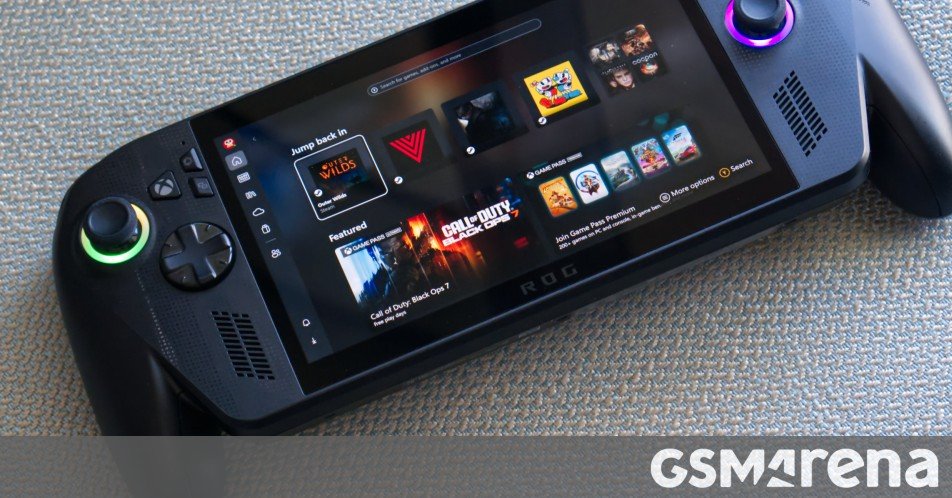
The ROG Xbox Ally X is the newest handheld gaming device from Asus, and the third of its kind from the company in as many years. The Xbox Ally X, along with the cheaper Xbox Ally, is made in collaboration with Microsoft’s Xbox division, and features a unique design that mirrors Xbox controllers, as well as ships with a lightly modified version of Windows 11.
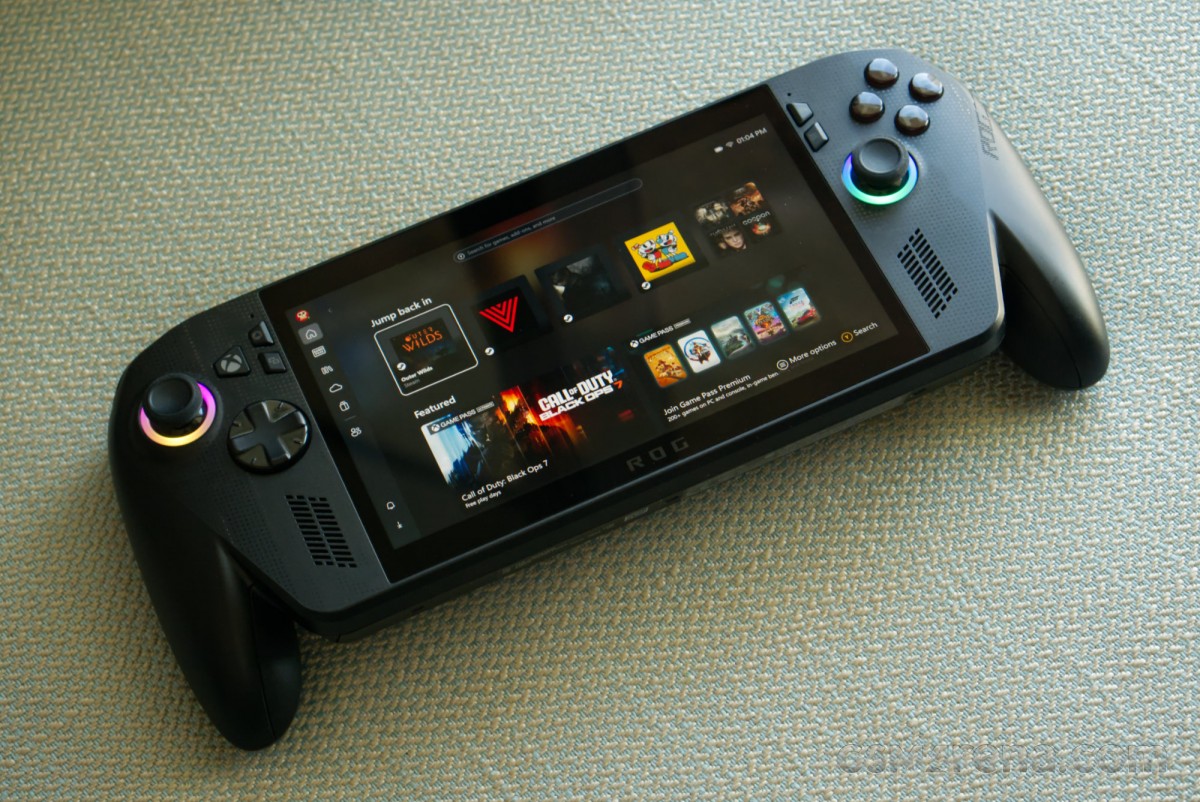
The Xbox Ally X that we are looking at here is based on AMD’s latest generation Ryzen AI Z2 Extreme chip. It also features 24GB of memory, a terabyte of storage, a 7-inch 120Hz IPS display, and an 80Wh battery. The cheaper Xbox Ally model swaps out these parts for an AMD Ryzen Z2 A chipset, 16GB of memory, 512GB of storage, and a 60Wh battery. We should hopefully also take a look at that model in the future, but the focus of this article will be on the flagship model.
The Xbox Ally X comes in at a cool $1000, and to put that into perspective, that’s how much the base model Xbox Series X and the Xbox Series S cost, combined. Or the base model Steam Deck and Switch 2, combined.
So what exactly do you get for that money, and how does the device compare to devices like the Steam Deck, which cost half as much? Also, what exactly does this Microsoft collaboration bring to the table, and how much better is this version of Windows? Let’s find out.
Unboxing
The Xbox Ally X comes in a large cardboard box that includes the device, a charger, and a stand.
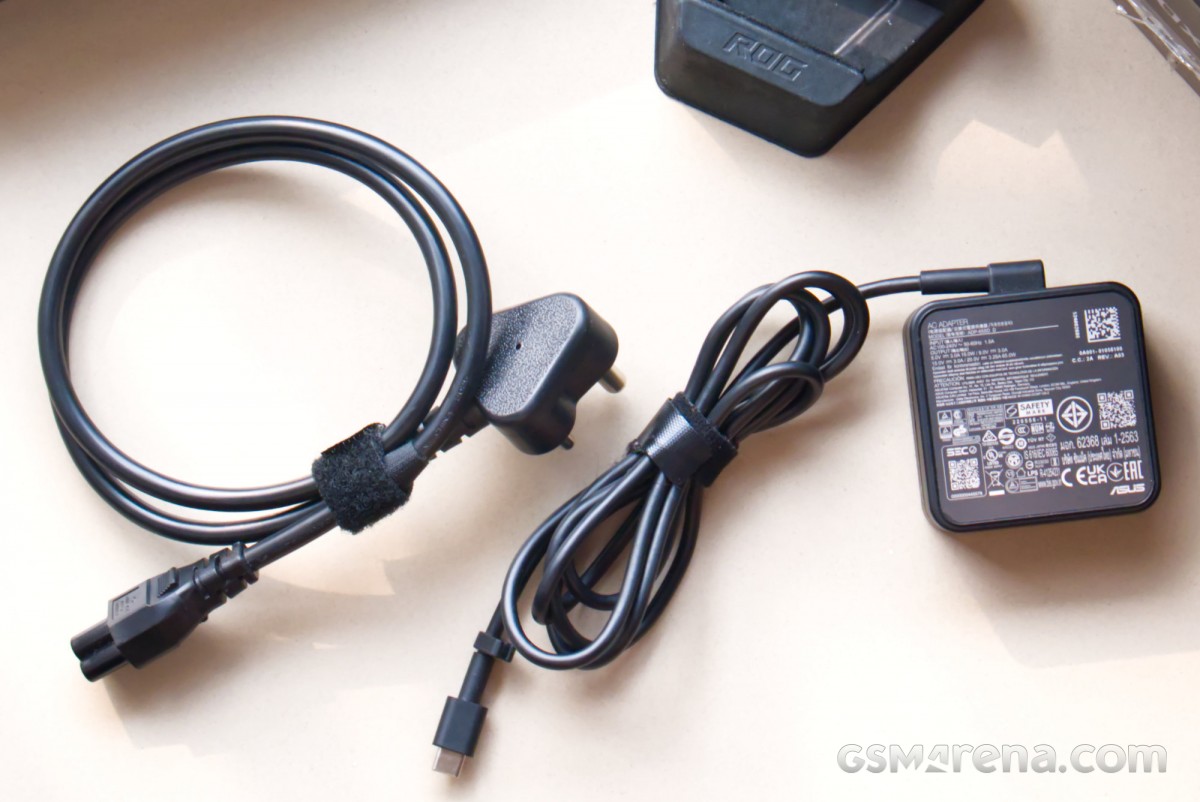
The charger being supplied here is a 65W USB-PD unit that looks like it was pulled straight out of an Asus laptop’s packaging. While the charging brick itself isn’t especially big, it comes with incredibly long and heavy cables that weigh more than the charger itself. Why a portable device that pulls only 65W needs such bulky charging equipment is beyond me.
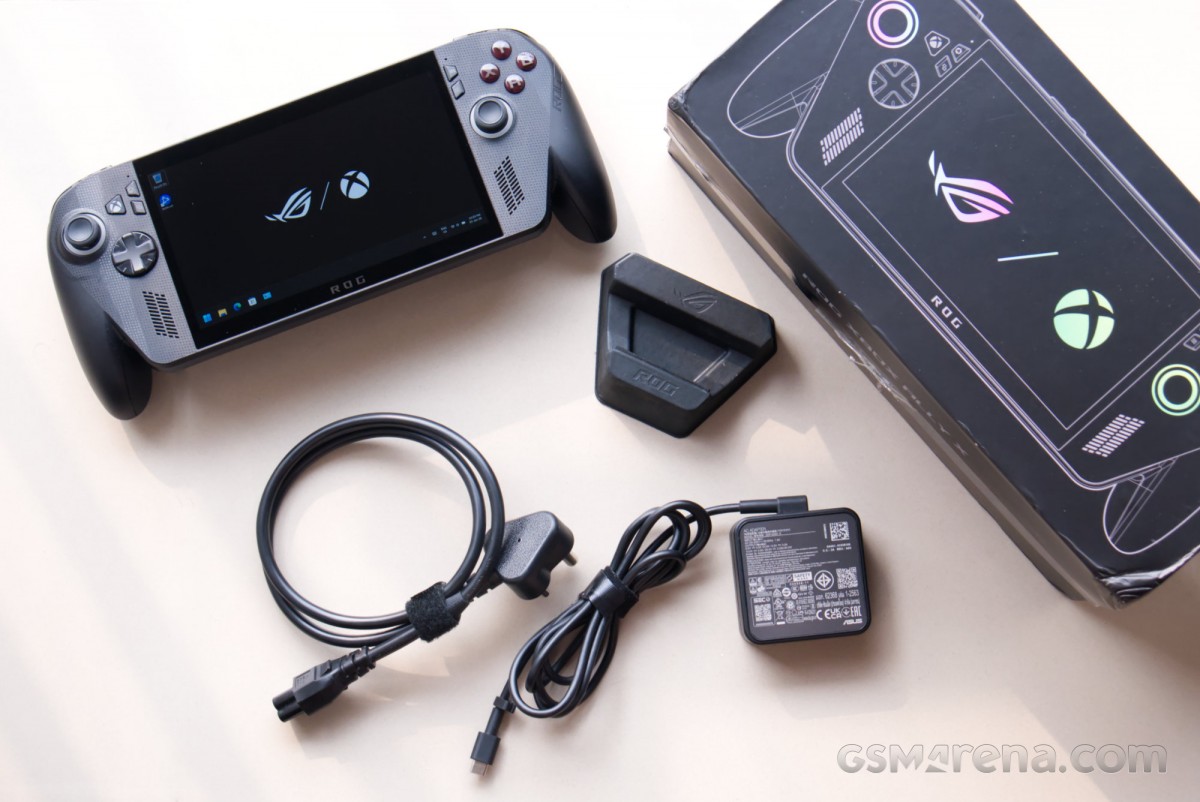
The stand being provided is once again made out of cardboard. It keeps the unit upright and does not crumple like the one that came with the original Ally. But for a $1000 device to ship with a cardboard stand is a bit embarrassing, to be honest.
Equally embarrassing is the lack of a carrying case inside the box. You get one with even the cheapest Steam Deck model, so why Asus can’t find it within its budget to do the same is baffling. You are essentially forced to shell out for one, as it is not recommended to carry this device around without it, and of course, Asus is happy to sell you one of its own for an additional $70.
Design
The Xbox Ally X features a very unique design for its category. Handheld gaming devices have historically had flat, slab-like proportions. We have seen this change over the past few years, with devices like the Steam Deck adopting more substantial grips that offer better control and comfort at the cost of a larger size.
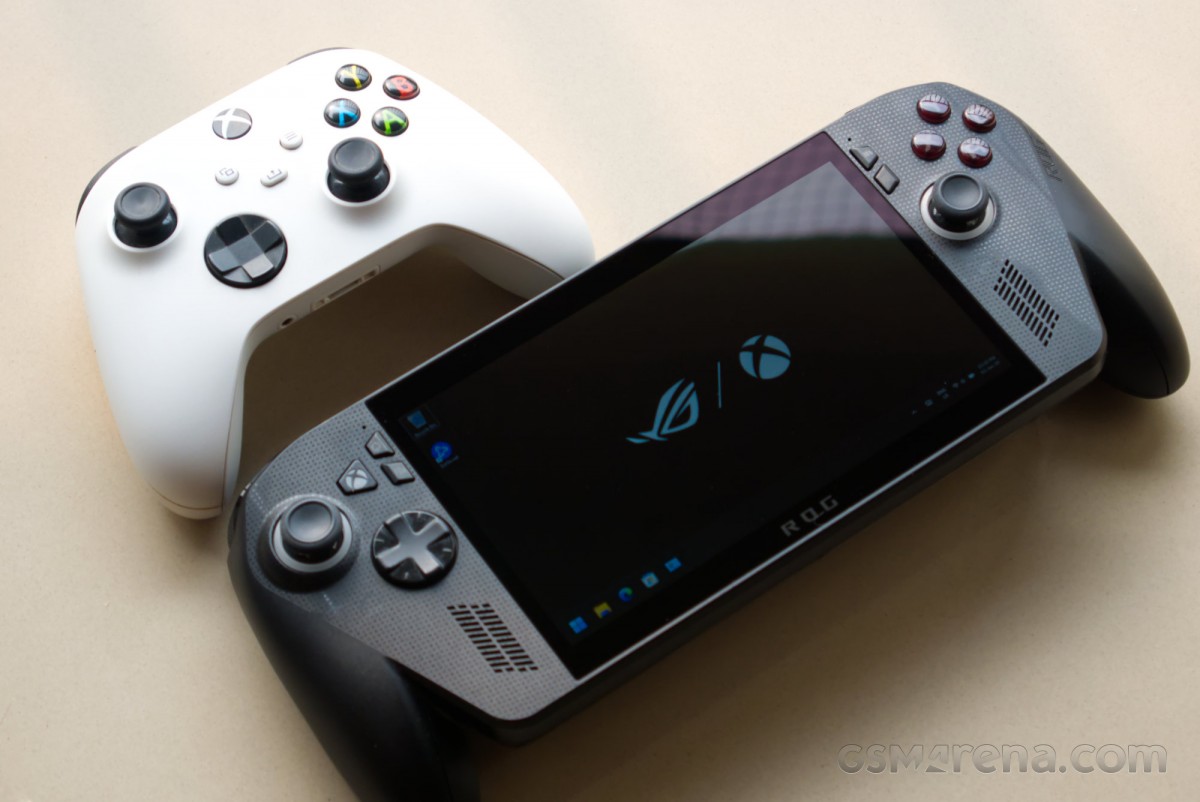
The Xbox Ally X takes this a step further. Both sides feature distinct grips that stick out from the bottom and make the device look and feel like a stretched-out Xbox controller. This results in grips that are deeper than not just previous Ally devices, but also other devices of this kind on the market.
The impact of this cannot be overstated. The Xbox Ally X offers outstanding confidence and comfort while gaming. Your palms can rest fully on the sides, and all of your digits have a place to grab onto, and no finger feels left out or awkwardly hanging. This phenomenal grip inspires a lot of confidence even during spirited gaming sessions and allows you to push further knowing the device is going to be secure in your hands. You can also play for hours without experiencing any cramping or discomfort. This is a truly best-in-class experience that no other device can offer. The only thing better would be an actual Xbox controller.
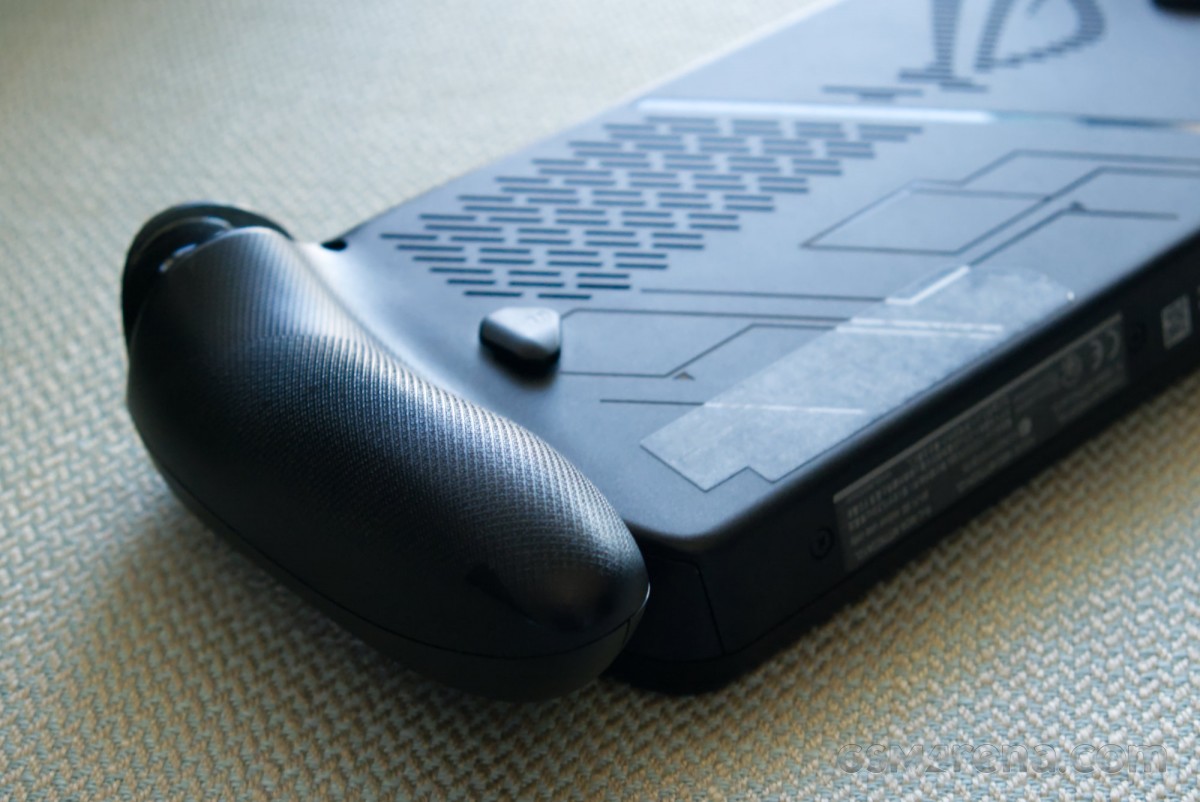
Thanks to the generous grips, you rarely feel the 715g weight of the device while you’re actually playing, which is one of the heaviest on the market and certainly heavier than the Steam Deck and all other previous Ally models. You will, however, feel that weight when carrying the unit around in your backpack, especially with the bulky charger in tow.
Getting back to the visual aspect of the design, the front of the device features a familiar setup borrowed from previous Ally devices. You have the lopsided analog stick layout, incidentally also how Xbox likes to do it, a sizable D-pad on the left, and the ABXY buttons on the right. The ABXY buttons are a deep shade of red and feature white lettering instead of the familiar Xbox colors. The typeface for the ABXY is also the one Asus uses for its ROG devices rather than what Xbox uses, so the attempts at emulating the Xbox design seem a bit half-hearted.
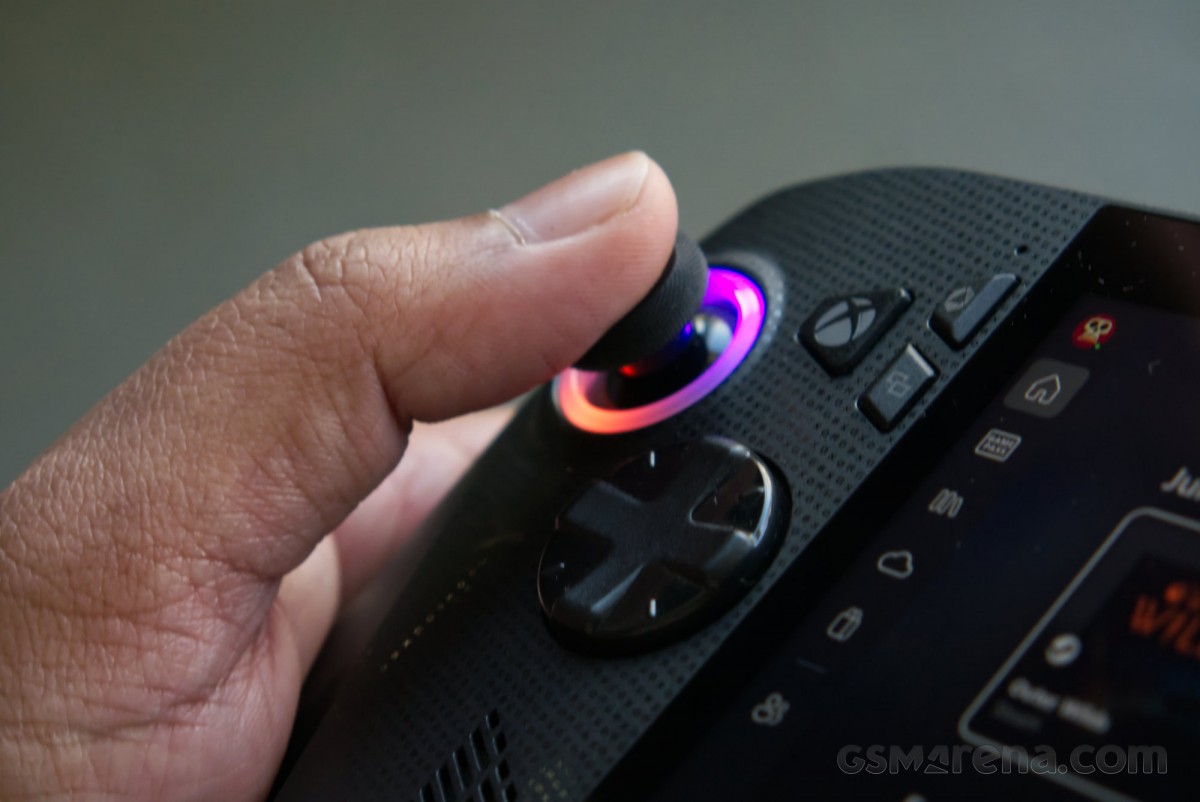
The analog sticks are the same as the ones seen on the 2024 Ally X. This design is based on the Xbox controller sticks and feels the same in use. Unfortunately, it also carries forward the limitations of the Xbox sticks. For starters, these use standard analog potentiometers instead of Hall-effect sensors, so they are not immune to drifting. Second, the top of the sticks is this smooth surface that becomes slippery after use. The rubber grips around the edges also wear out quickly, and the left stick had already turned smooth on our unit, providing almost no grip.
Considering the cost of this device, Asus should have used Hall-effect sticks, preferably with metal sleeves, something even $30 controllers from companies like 8BitDo have. They should also redesign these sticks to offer better grip when new and not wear out at such an absurd rate.
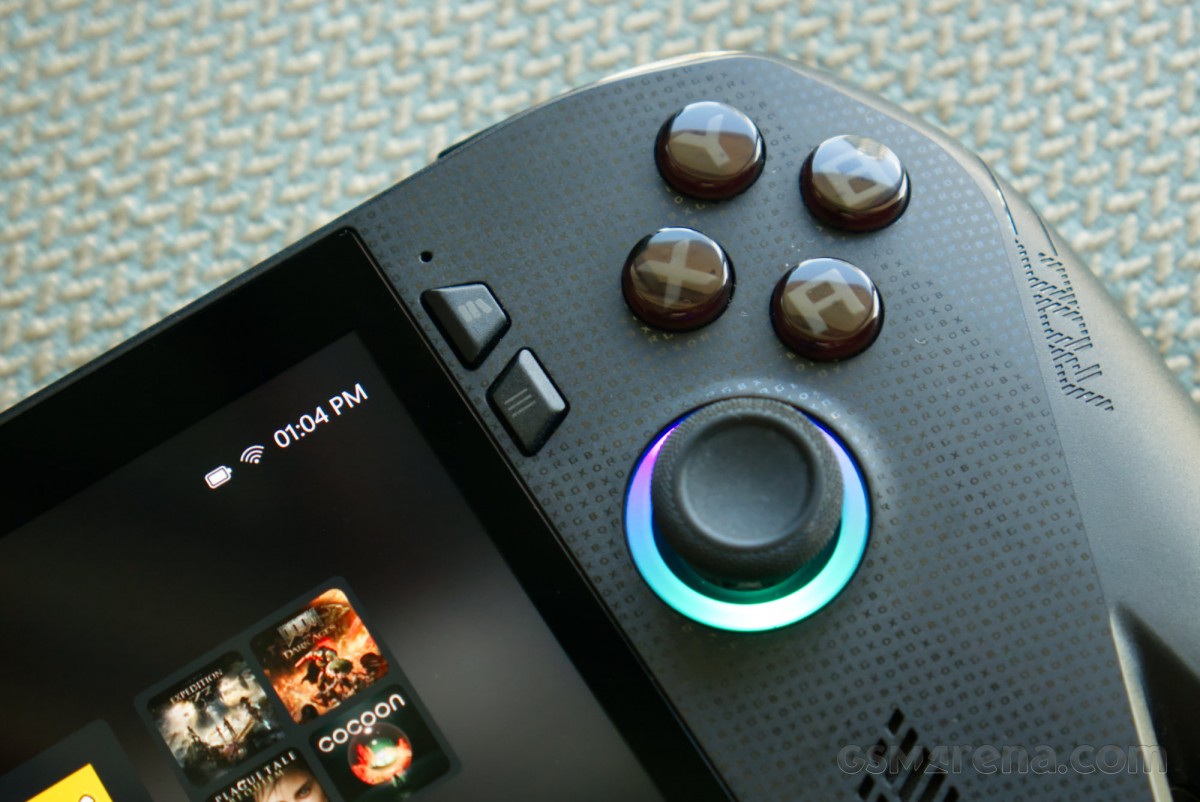
The device also has a smattering of other buttons on the front. There are the standard View and Menu buttons, and since this is an Xbox-branded device, there is also an Xbox button. Asus has also put two of its own buttons, one for its Command Center and the other for the Armoury Crate SE app.
Unfortunately, that’s one button too many. The Command Center is literally just another tab in the menu that you get when you press the Xbox button, so you could just press the Xbox button and press left on the D-pad to access it. The Armoury Crate SE app is something almost no one needs such immediate access to that it needs its own button, and on several occasions, I launched it unintentionally while trying to press the Menu button. It doesn’t help that the app takes absolute ages to launch and completely breaks the flow of your game. I also found it difficult to discern the characters printed on these buttons, and it was hard to tell which button did what in the beginning.
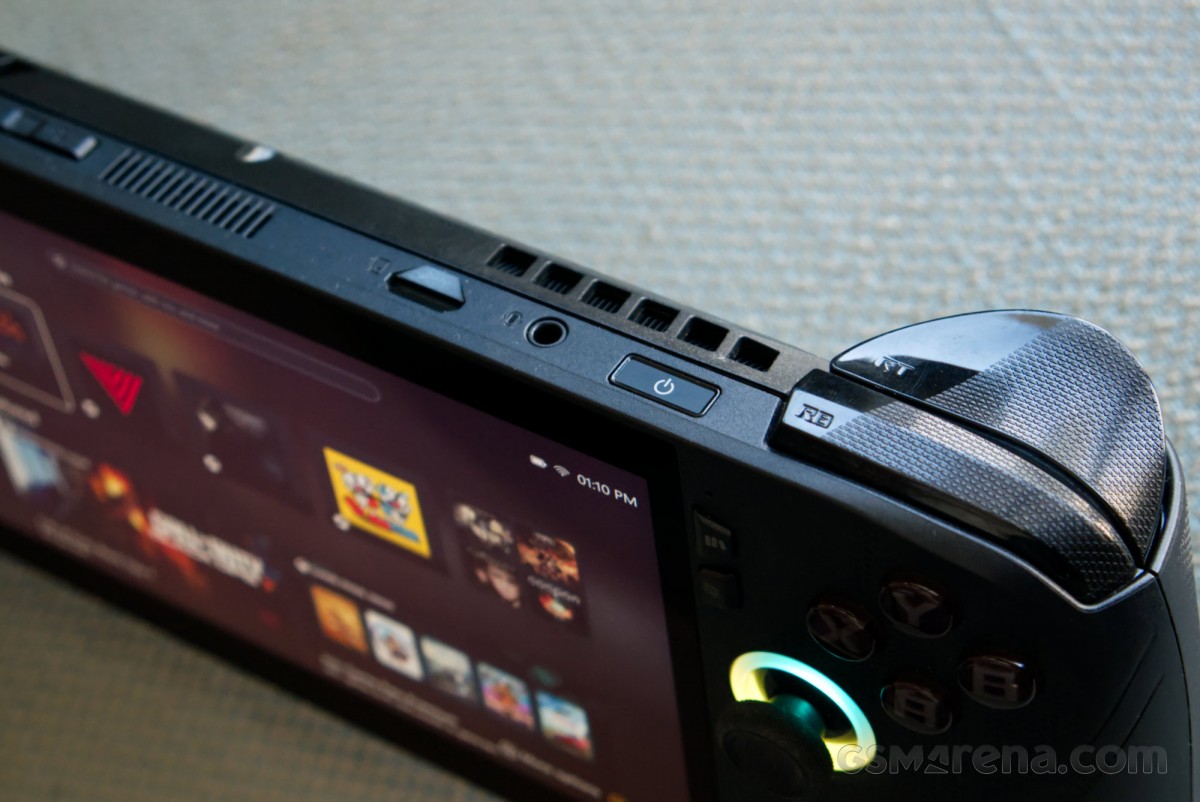
Moving over to the top of the device, we find a variety of different buttons, ports, and vents. The volume buttons work fine, even if they are placed at an awkward spot that necessitates completely letting go of one grip to use them. The power button location is more convenient, but the button is needlessly hard to press. The fingerprint scanner built into it is also abysmal as it struggles during both setup and actual use, and is better left unused.
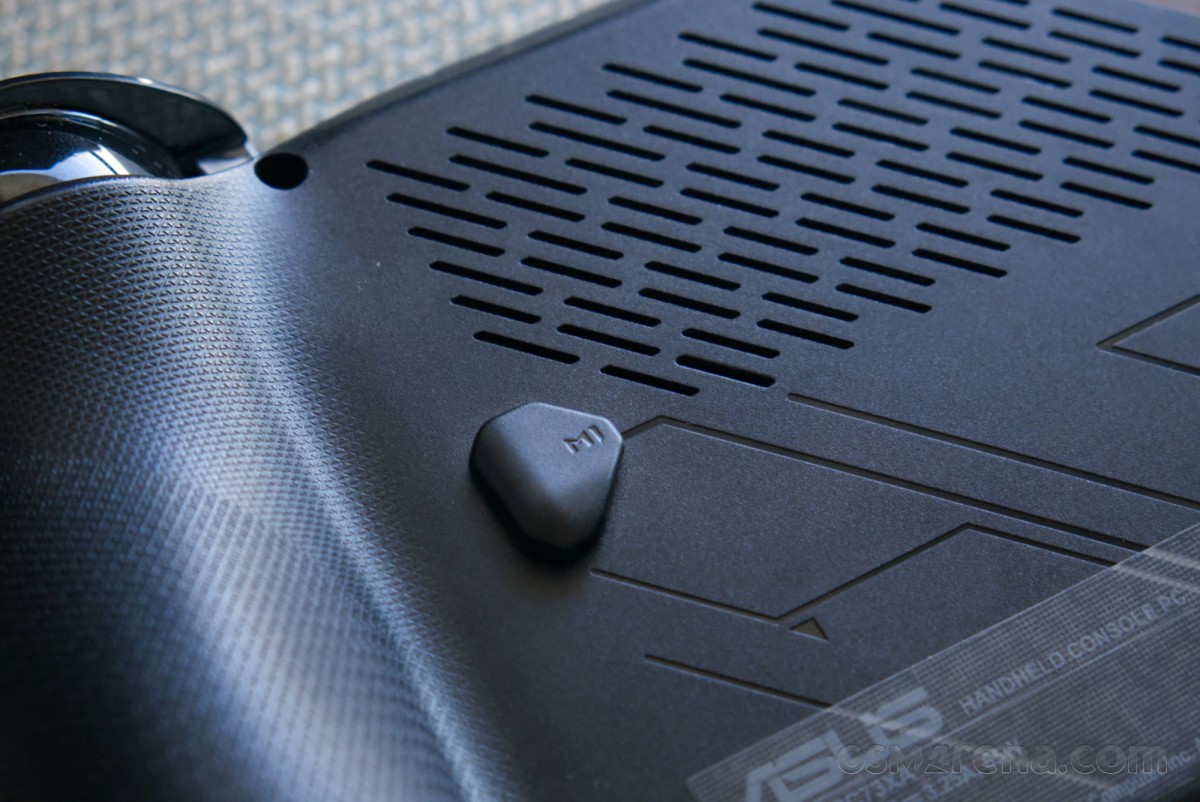
The top and the back of the device feature ventilation for the cooling system. There are two fans intaking through the vents on the back and exhausting out the vents on the top. As with the Ally X model, there is also a third vent in the middle on the top that circulates air over the display, which does not overheat like it used to on the original Ally. The revised cooling system also doesn’t turn your memory cards into roasted marshmallows like they used to on the Ally.
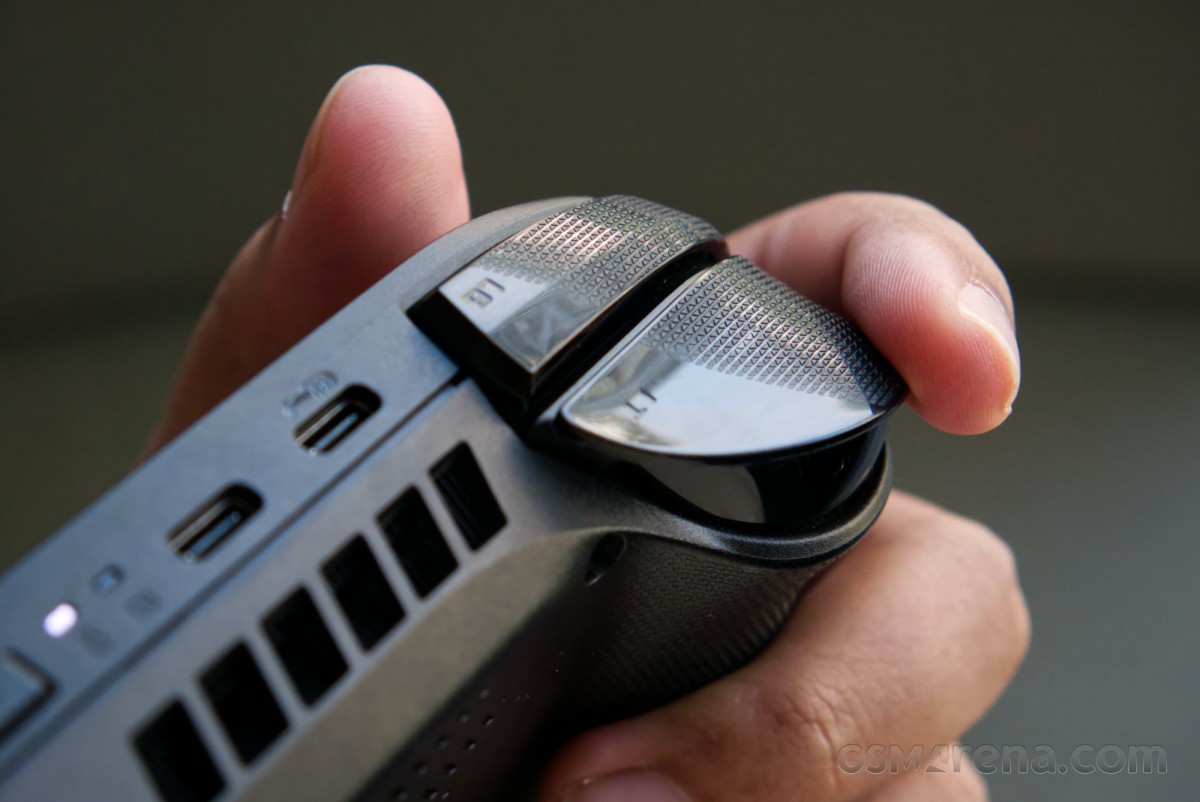
One of the advantages of the sizable grips is that the vents on the back are raised considerably off the ground, meaning it would be very difficult to block them, even if the device was kept on a soft surface like a couch or a bed. However, since the grips are thicker at the bottom, the device leans away from you when kept on its back, making the display harder to see.
The back of the unit also features additional customizable buttons that can be assigned to game functions. The buttons on the back of the original 2023 Ally were an absolute menace as they sat right underneath your fingers and were very easy to press accidentally. This was once again fixed with the 2024 Ally X, and the Xbox Ally X buttons use that updated design. These new buttons are very difficult to press accidentally due to their size, position, and firmness, but when you do want to press them, they are within easy reach of your middle fingers.
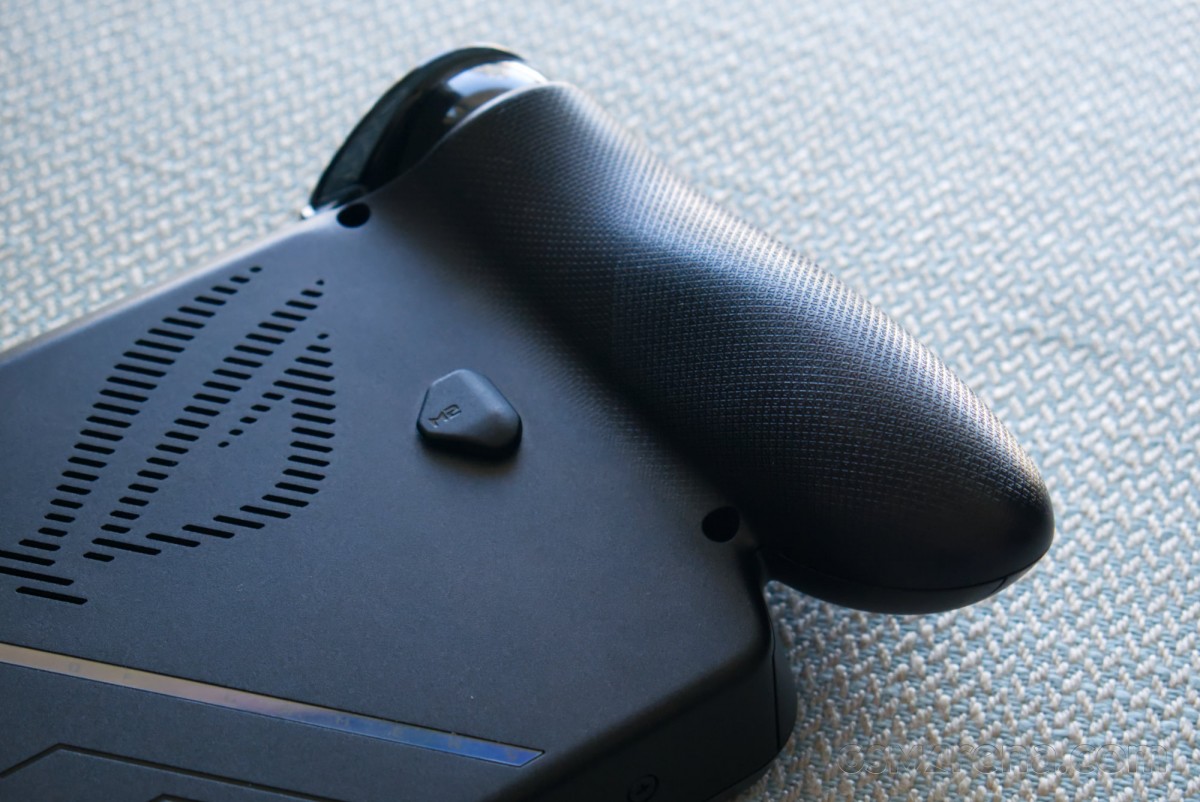
The rest of the design is fine. There are some interesting details here, such as the ROG and Xbox logos printed in sequence on the front, and the texture on the grips being the ROG logo in raised fine text. One of the vents on the back is also the ROG logo with an iridescent strip next to it. The design is still overwhelmingly ROG, though, and you don’t necessarily see a lot of the Xbox DNA shine through.
In terms of build quality, it was difficult to make a call based on our review unit, which had seemingly gone through the wringer before it got to us. The right grip was creaking, the front was scuffed, and the A button would periodically get jammed. Without knowing the nature of the abuse it went through from other reviewers, it’s hard to say if this was an issue with the build quality or just negligence of previous users, and this is precisely why we prefer manufacturers sending us new devices. However, Asus devices are generally well-built, so I am willing to give the Xbox Ally X the benefit of the doubt here.
Overall, the Xbox Ally X really impresses with its excellent grip and comfort, even during extended gaming sessions, but suffers from a cluttered button layout and unimpressive joysticks.
Display
The Xbox Ally X has a 7-inch, 1920×1080 resolution touchscreen LCD, which is the same panel found on all previous Ally devices. It has a refresh rate of 120Hz with a 48-120Hz VRR window and AMD FreeSync Premium support. The display supports 8-bit color with 100% sRGB coverage but no wide color or HDR. The brightness ranges from 10 nits to 500 nits. It is protected by Corning Gorilla Glass Victus with Gorilla Glass DXC anti-reflective coating.
The display has good color accuracy and is reasonably sharp. Despite being an IPS panel, the display also has decent motion performance, with both the full 120Hz and lower refresh rate content having reasonably quick motion performance.
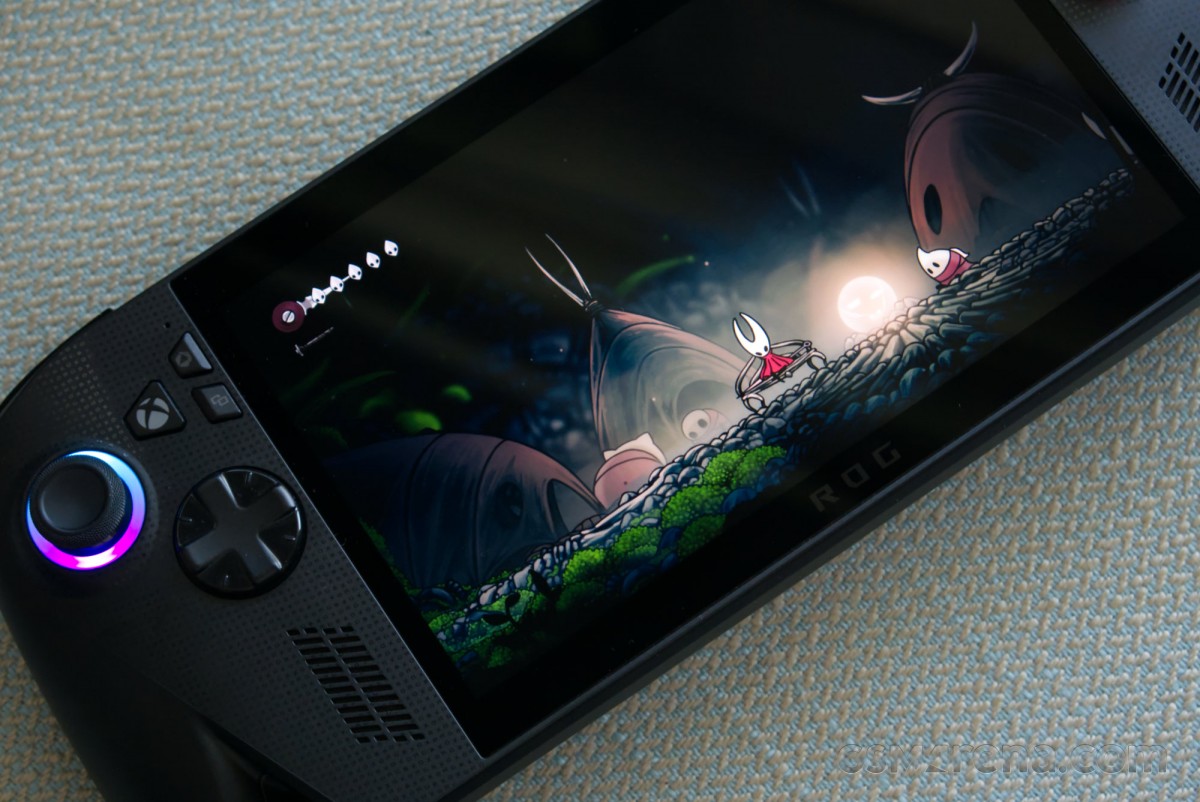
Unfortunately, the other aspects of the display aren’t great. For starters, the display does not get very bright and can be hard to see even in indoor conditions. Being an IPS panel, the contrast levels aren’t great, and there is noticeable backlight bleeding around the edges, seen in dark content. You also don’t get HDR.
Asus has also missed a trick here by not having a 16:10 display like on other devices. The 16:9 display feels claustrophobic in comparison and also results in distracting asymmetrical bezels that are thin on the sides and thicker at the top and the bottom.
For a $1000 device launching in late 2025, one expects a better display and not the same one that we have been seeing for two years now. The competition is offering OLED panels now that are brighter, have better contrast, better motion performance, and support HDR. If Asus wants to convince us that this is a flagship device worthy of a premium, then the hardware needs to match those claims.
Hardware and connectivity
The Xbox Ally X runs on the new AMD Ryzen AI Z2 Extreme processor. This is AMD’s latest generation mobile chip for handheld devices, codenamed Strix Point, and built on TSMC’s 4nm process. The CPU uses a hybrid 8-core design, with three Zen 5 cores, which can boost up to 5.0GHz, and five Zen 5c cores, capable of boosting up to 3.3GHz. There are 8MB of L2 cache and 16MB of L3 cache available. On the graphics side, you get an RDNA3.5 GPU with 16 compute units clocked at 2.9GHz. Finally, since this is the AI model of the Z2 Extreme, it also packs an XDNA 2 NPU with 50 TOPS of performance.
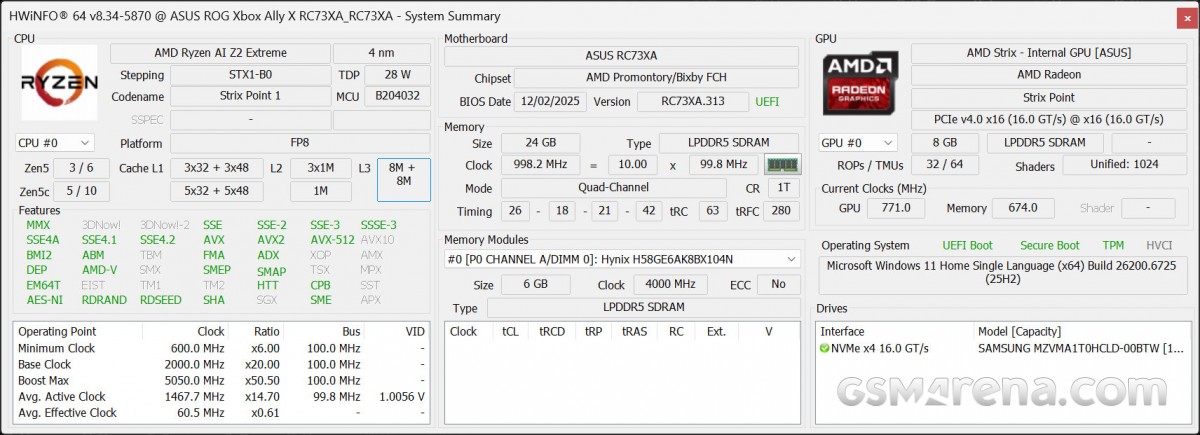
Complementing all of that processing power is the memory. Like the 2024 Ally X, the Xbox Ally X ships with 24GB of dual-channel memory but in the faster LPDDR5X-8000 configuration. As with previous Ally models, you can adjust the allocation of the memory between the system memory and the video memory, but the default 16+8GB configuration is perfect in my opinion. As for storage, you also get 1TB of PCIe 4.0 NVMe M.2 (2280) SSD as standard, and you can just swap it out for another drive. There is also a microSD card slot available that supports UHS-II cards.
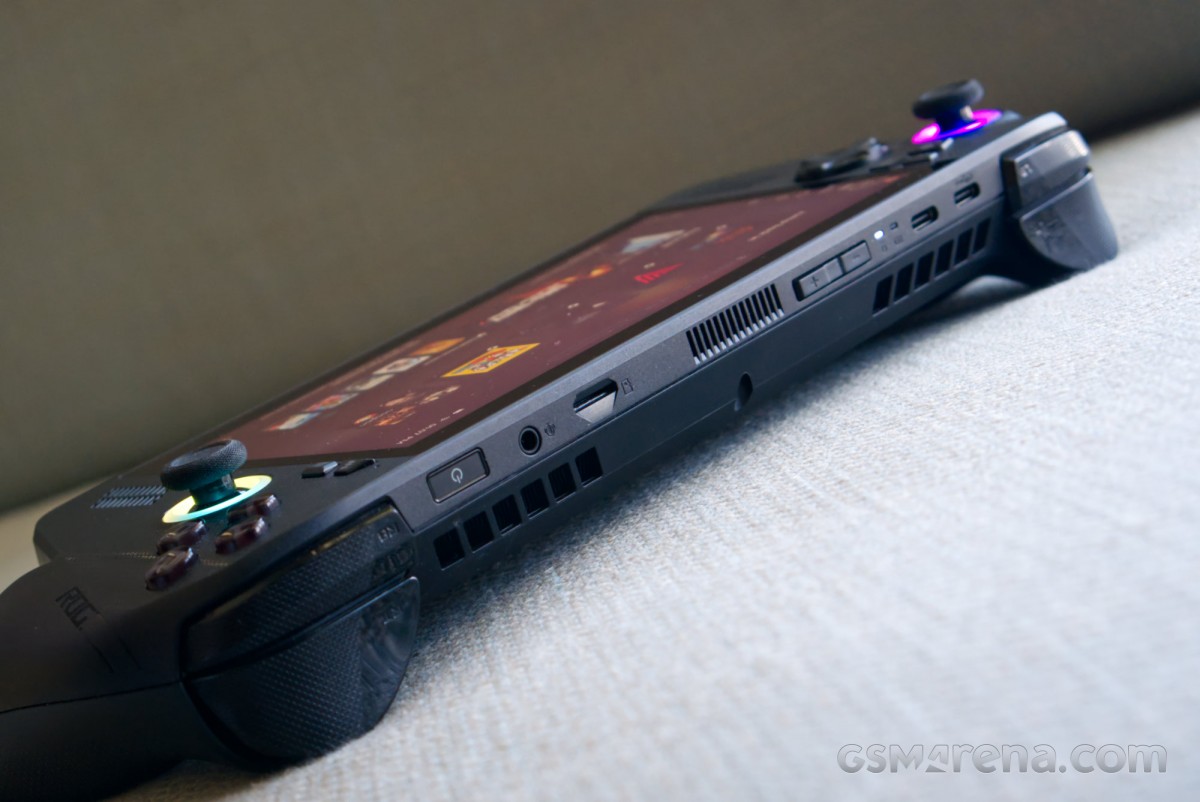
On the connectivity front, the Xbox Ally X gets a second USB-C port, something the original Ally was lacking. One is USB 3.2 Gen 2, while the other supports USB4 and Thunderbolt 4 standards. On the wireless side, you get triple-band Wi-Fi 6E as well as Bluetooth 5.2. Finally, there is also a 3.5mm combo audio jack.
Performance
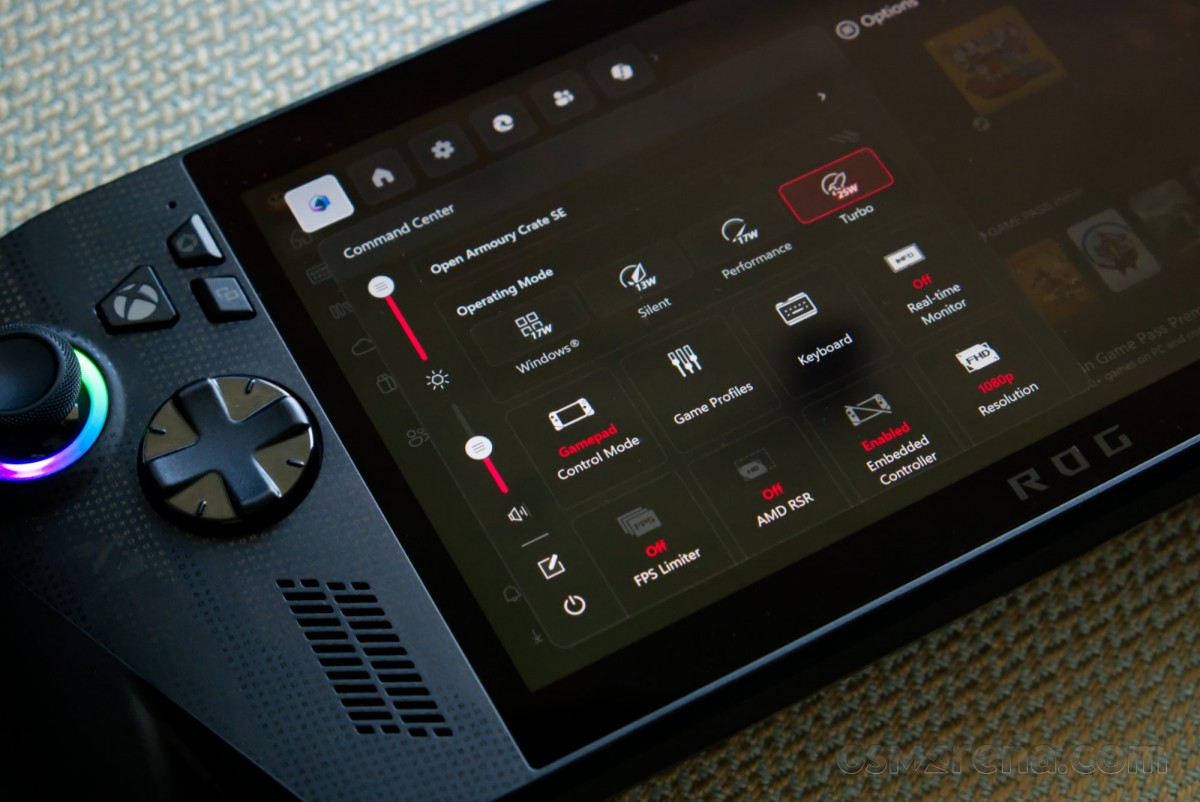
The Xbox Ally X features three custom power modes: a Silent profile that is limited to 13W, a Performance profile that is limited to 17W, and a Turbo profile that is limited to 25W on battery and 35W on USB power, provided you use the supplied 65W charger. Attempting to use other 65W USB-PD chargers causes the device to draw around 55W of power and then limit the chip to 25W.
For testing gameplay performance, the device was first set to the full 35W and then to the 17W mode. The system memory was left on the default 16+8 configuration, which limits the system memory to 16GB and the video memory to 8GB. The display output was left on the default 1080p 120Hz configuration, where it belongs, and image reconstruction techniques such as FSR were used wherever available, along with a combination of playable settings.
Starting with the 35W results, the Xbox Ally X impresses with highly playable results across the board. A major improvement over the original Ally running the Z1 Extreme comes not in the form of the improved CPU and GPU performance but rather the increased memory. Having a full 16GB allocated to the system and a separate 8GB for the graphics makes a world of difference, as the default 12+4GB configuration on the Ally left both the system and the game gasping for memory. This predominantly shows up in the 1% and 0.1% figures, which are much closer to the averages and far more consistent on the Xbox Ally X than on the Ally. In plain English, this means a more stable frame rate without hitching and stuttering.
| 35W Performance | Average (FPS) | 1% Lows (FPS) | 0.1% Lows (FPS) |
|---|---|---|---|
| Alan Wake II | 33.8 | 19.5 | 16.8 |
| Black Myth Wukong | 53.6 | 46.8 | 44.0 |
| Call of Duty: Black Ops 7 | 119.3 | 92.6 | 91.4 |
| Clair Obscur: Expedition 33 | 37.9 | 30.4 | 27.7 |
| Control | 63.6 | 30.3 | 3.9 |
| Cyberpunk 2077 | 59.8 | 38.3 | 28.0 |
| Death Stranding Director’s Cut | 62.0 | 28.5 | 25.4 |
| DOOM: The Dark Ages | 47.2 | 38.4 | 36.8 |
| Elden Ring | 38.5 | 25.1 | 18.4 |
| Forza Horizon 5 | 79.8 | 66.8 | 61.1 |
| Hogwarts Legacy | 64.0 | 30.2 | 19.4 |
| Indiana Jones and the Great Circle | 47.3 | 37.7 | 34.1 |
| Kingdom Come: Deliverance II | 50.3 | 44.2 | 42.3 |
| Marvel Rivals | 57.8 | 37.8 | 7.2 |
| Metro Exodus: Enhanced Edition | 40.9 | 32.7 | 30.0 |
| Microsoft Flight Simulator 2024 | 42.4 | 32.7 | 23.0 |
| Resident Evil 4 | 56.7 | 47.6 | 26.9 |
| Senua’s Saga: Hellblade II | 34.9 | 30.4 | 28.6 |
| Shadow of the Tomb Raider | 61.2 | 47.7 | 18.0 |
| Silent Hill 2 | 44.1 | 29.3 | 15.8 |
| Silent Hill f | 41.1 | 34.4 | 30.8 |
| Stellar Blade | 56.8 | 28.8 | 24.0 |
Moreover, halving the power to just 17W seemingly does not obliterate performance. There is a small hit to the frame rates, but in most cases, the games remain playable. In fact, the Z2 Extreme on the Xbox Ally X often runs better at 17W than the Z1 Extreme on the Ally did at 30W, thanks to a combination of better efficiency and that improved memory configuration.
An important part of getting good performance on not just handheld devices but all gaming PCs is picking the correct graphics settings. On handheld devices, you can easily get away with much lower settings than you can on a 27-inch monitor, and you can also make much more aggressive use of techniques like FSR, TSR, or XeSS wherever available. I also found frame generation to be perfectly viable and, in fact, much more suited to this format of devices than bigger displays, where the artifacts are more noticeable.
| 17W Performance | Average (FPS) | 1% Lows (FPS) | 0.1% Lows (FPS) |
|---|---|---|---|
| Alan Wake II | 25.3 | 15.0 | 12.8 |
| Black Myth Wukong | 44.8 | 39.6 | 36.4 |
| Call of Duty: Black Ops 7 | 62.4 | 43.7 | 40.5 |
| Clair Obscur: Expedition 33 | 29.9 | 23.8 | 20.3 |
| Control | 49.5 | 6.9 | 2.1 |
| Cyberpunk 2077 | 41.2 | 27.8 | 6.1 |
| Death Stranding Director’s Cut | 51.7 | 25.9 | 17.1 |
| DOOM: The Dark Ages | 41.0 | 33.0 | 31.6 |
| Elden Ring | 36.6 | 22.0 | 17.5 |
| Forza Horizon 5 | 61.2 | 41.8 | 38.2 |
| Hogwarts Legacy | 58.1 | 26.9 | 15.2 |
| Indiana Jones and the Great Circle | 40.8 | 31.8 | 25.5 |
| Kingdom Come: Deliverance II | 38.2 | 33.2 | 32.2 |
| Marvel Rivals | 41.0 | 31.0 | 7.9 |
| Metro Exodus: Enhanced Edition | 31.7 | 25.0 | 22.7 |
| Microsoft Flight Simulator 2024 | 36.5 | 25.3 | 17.4 |
| Resident Evil 4 | 45.7 | 35.9 | 23.9 |
| Senua’s Saga: Hellblade II | 29.9 | 25.4 | 24.2 |
| Shadow of the Tomb Raider | 50.5 | 38.4 | 17.3 |
| Silent Hill 2 | 35.9 | 19.9 | 12.5 |
| Silent Hill f | 33.9 | 28.4 | 25 |
| Stellar Blade | 46.6 | 23.1 | 19.8 |
Dial in the right combination of settings, and the gameplay experience on the Xbox Ally X is very good. Even on most of the modern titles, you can get 40-60fps with very good visual quality, and thanks to the VRR display, you don’t have to worry about setting easily divisible frame caps. As mentioned before, the device has outstanding grips that feel incredibly stable in the hands, and most of the controls work really well.
A critical part of the gaming experience is also the sound. The original Ally speakers weren’t great, but thankfully, Asus has made some improvements since then, and the Xbox Ally X speakers sound great. The device also comes with the Dolby Access app, which enables decoding of Atmos content and also turns standard stereo content into spatial audio over the speakers and headphones. It really adds a lot to the experience, and these are probably some of the best speakers on a device of this class.
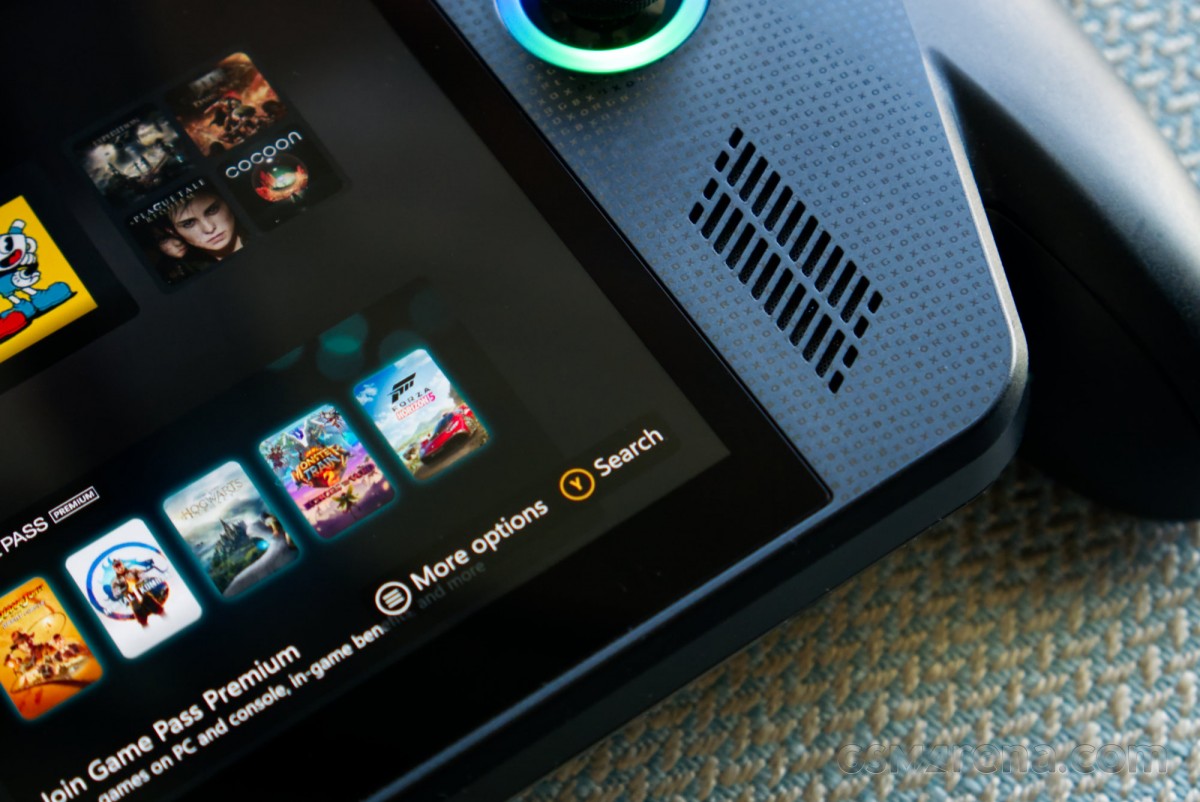
Speaking of sound, or a lack thereof, the cooling system on the Xbox Ally X also works really well. The fan hysteresis is controlled by the power profile; in the full 35W mode on a balmy day, you can hear the fans spin up and create a soft whooshing sound that is easily drowned out by the unit’s own speakers or any headphones you may be wearing. On the Performance or Silent profile, the fans are basically inaudible. If the game you are playing is consuming low enough power, they may even stop spinning entirely.
Aside from just being quiet, the fans also do their job of keeping the system cool. The reported CPU temperature never went above 86 degrees Celsius even under full load, and there was no thermal throttling observed. At lower power limits, the temperature doesn’t even go past 70 degrees. This is a remarkably cool and quiet system for the performance it offers.
One aspect of the performance that I did not like is the rumble effect. This was an issue with the original Ally as well, and even on this device, you only get the mildest buzzing that you can often just confuse with the vibrations from the speakers. A device this big should surely have a better and more precise rumble effect.
Running standard CPU and system benchmarks reveals that the CPU performance of the Z2 Extreme really isn’t that much better than the Z1 Extreme. While the Z1 Extreme had eight fast Zen 4 cores, the Z2 Extreme uses a combination of three fast Zen 5 cores and five much lower clocked Zen 5c cores. Considering Zen 5 itself wasn’t a huge leap forward compared to Zen 4, it’s not a surprise that the overall CPU performance has largely remained the same outside of performance per watts comparisons.
| Benchmark | Test | Score |
|---|---|---|
| Cinebench 2024 | Single | 113 |
| Multi | 770 | |
| Cinebench R23 | Single | 1980 |
| Multi | 14471 | |
| Geekbench 6 | Single | 2819 |
| Multi | 13005 | |
| Blender (Classroom) | CPU | 06:40:49 |
| GPU | 03:48:42 | |
| 7-Zip | Compression | 84.359 |
| Decompression | 86.155 | |
| Geekbench AI (CPU) | Single precision | 3295 |
| Half precision | 1745 | |
| Quantized | 7426 | |
| PCMark 10 | Overall | 6363 |
| Essentials | 9258 | |
| Productivity | 11950 |
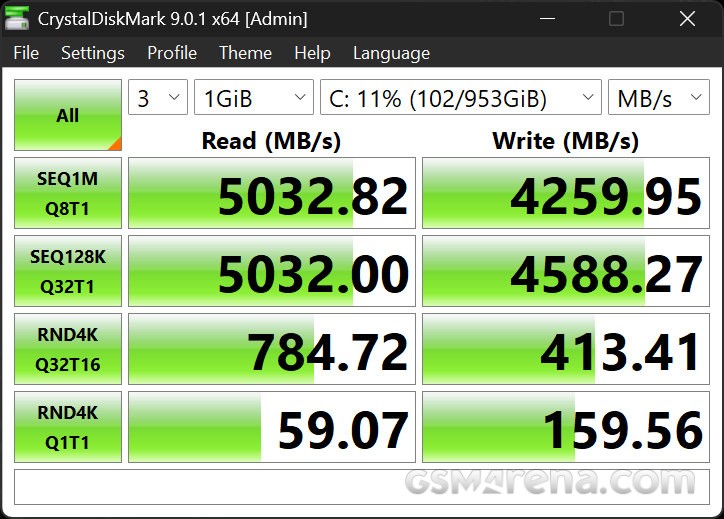
Finally, the 1TB SSD on the unit also worked well enough. I would probably upgrade to a bigger 2TB drive sooner rather than later because it has become deceptively easy to fill up a 1TB drive with games these days.
Before wrapping up the performance testing, I also decided to try the Xbox Cloud Gaming that comes with the Game Pass Ultimate service. While this isn’t unique or exclusive to this device, it does make more sense on a platform like this, where performance and storage are at a premium. However, my experience wasn’t great. When I tried Doom: The Dark Ages, performance was really great, until it wasn’t. Out of the blue, the game would have massive and game-breaking latency spikes that made it unplayable for 5-10 seconds. When I tried Clair Obscur: Expedition 33, the game was just locked to 30fps, likely because it was running on a Series S somewhere. After this, every time I tried to launch a game, it would get stuck on the loading screen, so I couldn’t play anything else.
I’m sure these issues will be ironed out in the future, but for now, this feature doesn’t add much value to the paltry three months Game Pass Ultimate subscription you get with the device.
Battery
The Xbox Ally X comes with an 80Wh battery, which is twice the capacity of the original 2023 model. The 2024 Ally X did ship with this same 80Wh battery, but with its more efficient chip, the Xbox Ally X should provide even more battery life.
Starting with the 25W test and the display set to 70% battery, the Xbox Ally X provided almost exactly two hours of battery life. This might not sound like much, but it was while playing a AAA title running at good frame rates. If you only use your device for short durations or during transit, this is still enough battery life while running AAA titles at full blast.
However, the real test of the efficiency comes at lower wattages, such as the 17W power profile. Here, the device can add another hour to the battery life, totaling at just under 3 hours of continuous gameplay. In this case, the device is still running at full blast with uncapped frame rates, so I decided to set a 30fps frame cap, which added another 40 minutes of battery life to the device. With further adjustments to the settings and rendering resolution, it would be possible to get close to full four hours of battery life in AAA titles. And of course, depending upon the game, the number can go even higher.
However, AAA titles aren’t the only type of games out there. I personally prefer to play more lightweight indie or 2D platforming titles on these devices. This is where the Xbox Ally X battery really shines. Most lightweight 2D titles consume only about 5-6W of power, which makes the 80Wh battery unkillable. I was able to get 12-15 hours of usage out of the device with these games, which is incredible considering there is still a whole desktop operating system running in the background. I can only imagine how much longer the battery would last if the system were running a lightweight Linux OS like SteamOS or Bazzite.
The standby battery life is decent for the most part. Keeping the device in sleep mode overnight only loses about 3-5% battery at most. However, that’s assuming Windows doesn’t wake up randomly in the background and start blasting the fans or some other nonsense. In that case, don’t be surprised to wake up to half of your battery missing.
Software
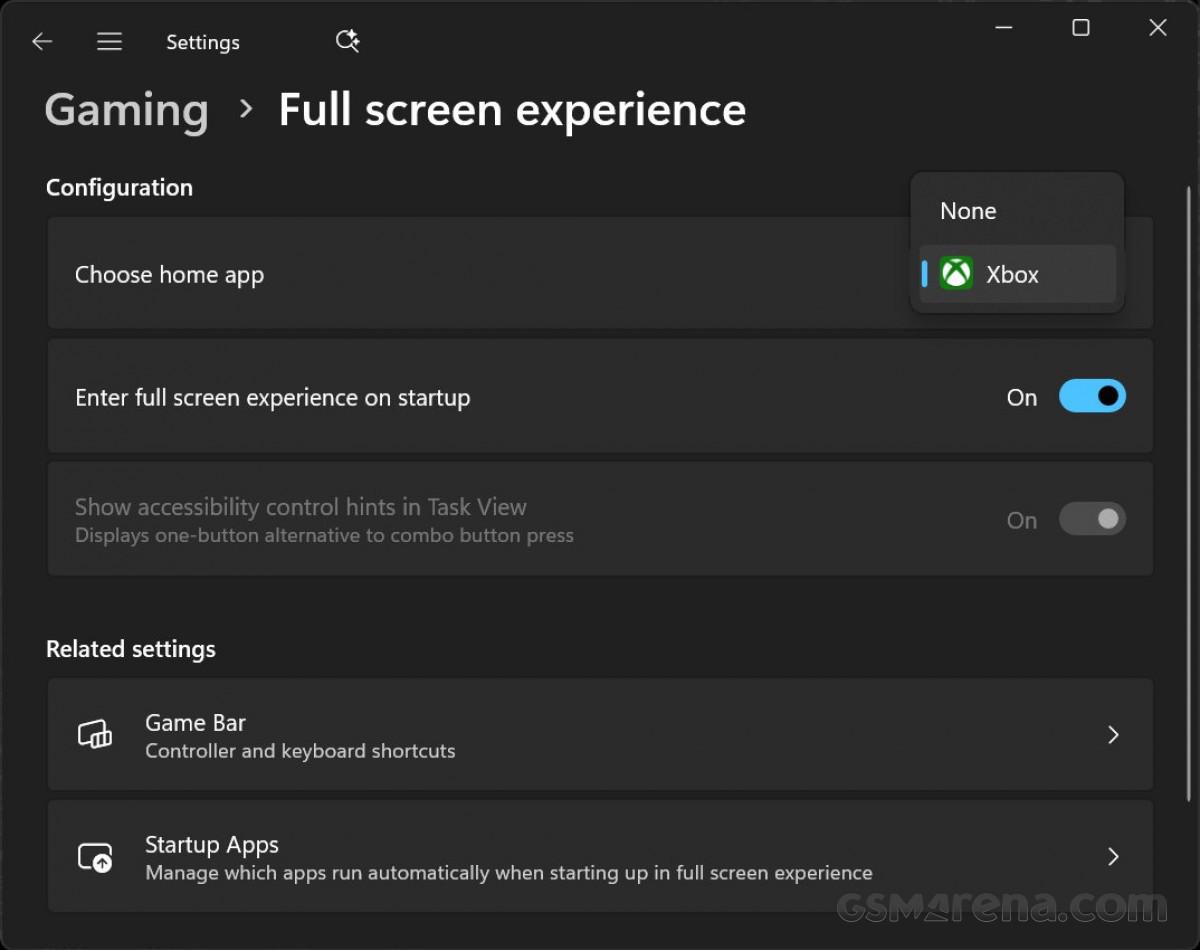
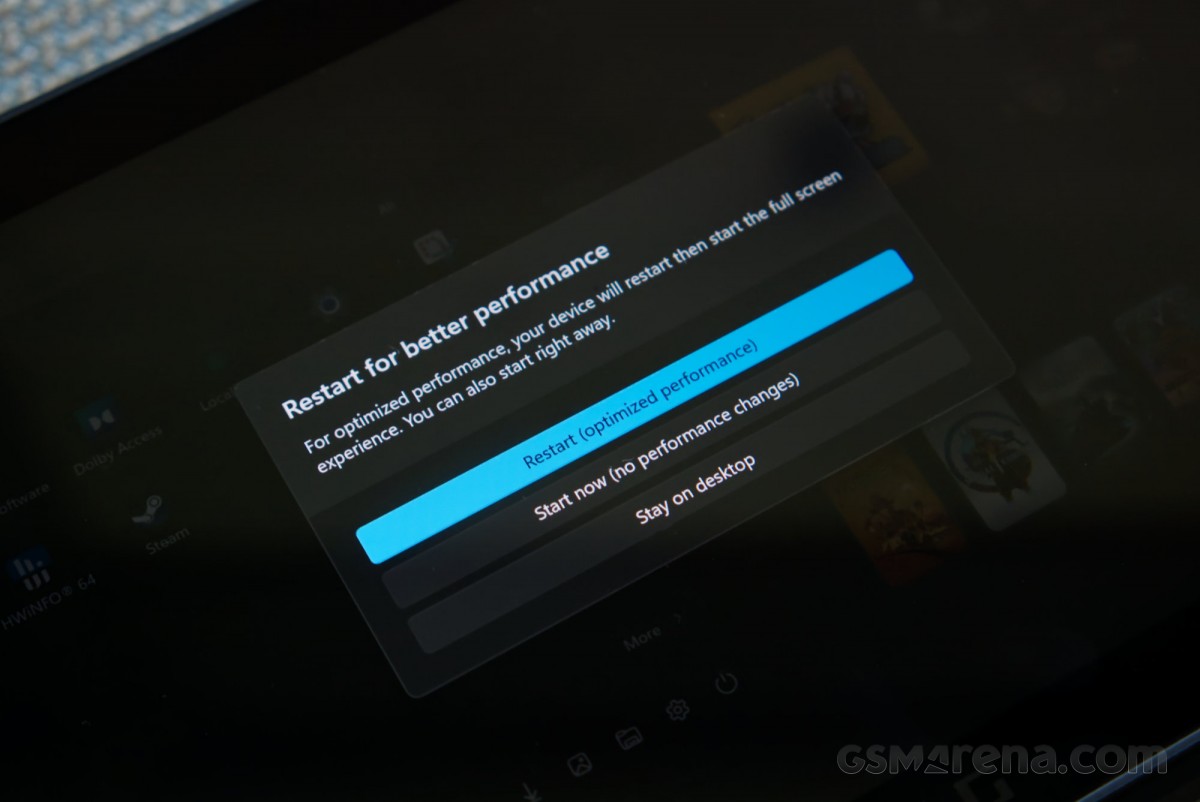
The Xbox Ally X runs on Windows 11 Home and features what Microsoft calls the Xbox Full Screen Experience (FSE). This feature will eventually roll out to all Windows 11 devices, but for now, the ROG Xbox devices are the only ones to ship with it out of the box.
So what is the FSE? Simply put, it is designed to boot Windows into the games launcher of your choice without entering the Windows desktop. The UI can be controlled fully with a controller, including being able to switch and close apps. By not loading the Windows desktop, explorer, and other services, you save some resources and get a more gaming-focused interface. This was primarily designed with handheld devices in mind, but will eventually also be available on desktops.
Microsoft also has a new Handheld Compatibility Program similar to Valve’s Deck Verified. This will let users know if games are Handheld Optimized, and automatically enable appropriate settings for the best experience. Other games will be marked as Mostly Compatible. There is also a new advanced shader delivery system that will bundle pre-compiled shaders along with game downloads, similar to SteamOS, so you don’t spend time and resources compiling shaders at launch. This is only available for select games so far, and when tried in Hogwarts Legacy, it cut down the game’s pre-compilation step considerably when downloaded from the Xbox store instead of Steam.
The other features, however, are coming at a later date. There is Automatic Super Resolution, which will use the NPU inside the Ryzen AI Z2 Extreme to upscale games from a lower resolution, an automatic gameplay clip capture feature powered by AI, and enhancements to the docking experience.
All of that is well and good, but fundamentally, the software experience on the Xbox Ally X continues to lag behind devices running SteamOS or even gaming-focused Linux distros like Bazzite, let alone actual consoles like the Switch.
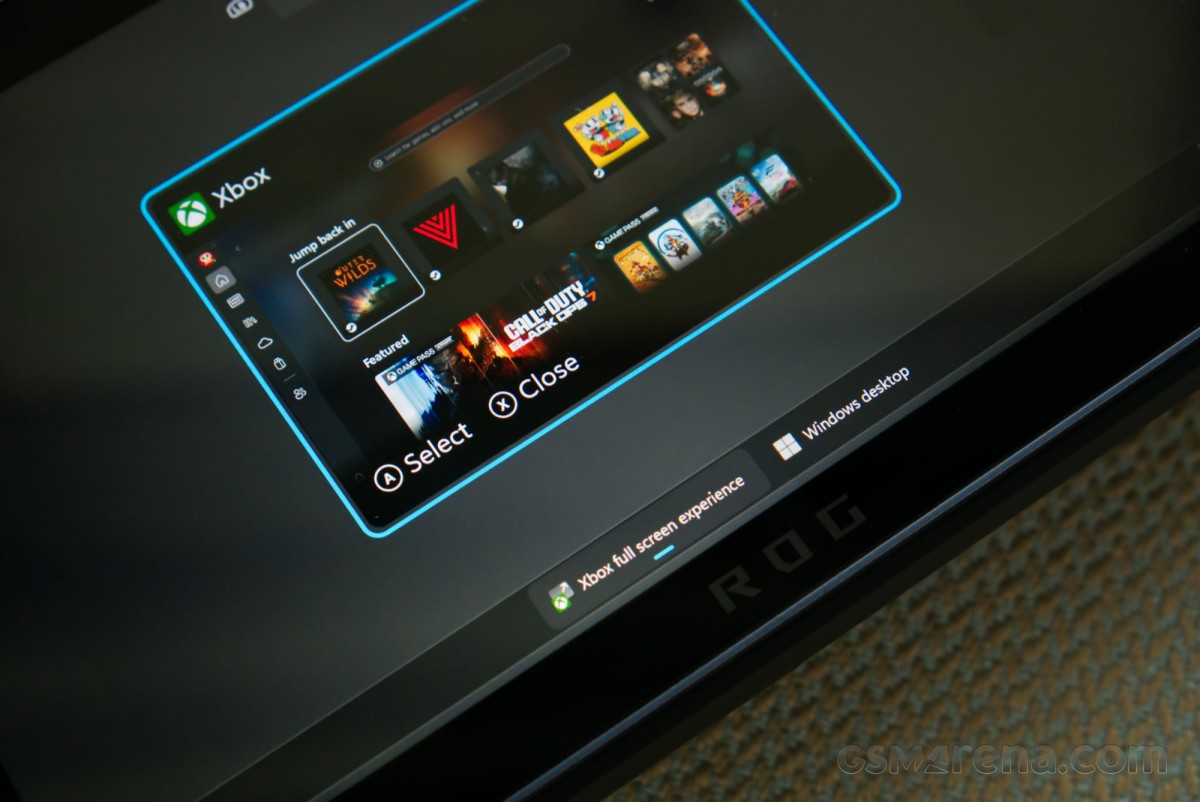
Right from the setup process, you are constantly reminded of the fact that what you are dealing with is essentially a miniature Windows PC, made worse by the fact that there isn’t even the usual keyboard and mouse to make things easier. The UI is painfully small for touchscreen use, and the on-screen keyboard takes up half the screen and usually just covers up whatever text field you highlighted.
On any other handheld console or SteamOS device, you would be done with the setup process in about ten minutes or so. On the Xbox Ally X, it takes upwards of an hour, and that’s for someone like me who is already overly familiar with setting up Windows. There are four different places to install updates from once you finish the initial setup, including Windows settings, Microsoft Store, the Asus Armoury Crate SE app, and the MyASUS app, reminding you once again that this is just another Windows PC where things have been tacked on, with no cohesion whatsoever.
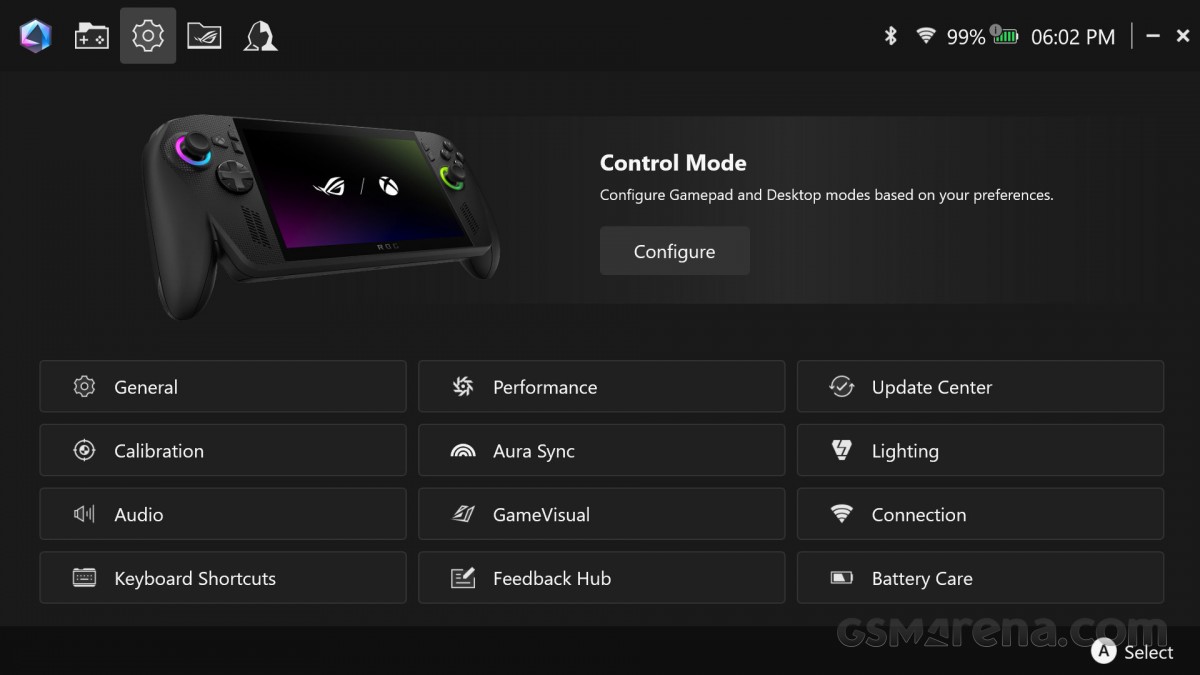
Armoury Crate SE
Asus, for its part, tries to help with the Armoury Crate overlay, which brings a lot of relevant functions, such as power profiles, on-screen performance overlay, frame rate limiters, and more to your fingertips. Unfortunately, it does so with its own brand of gamery ROG UI, which does not gel with either the Windows or the Xbox branding, and just looks out of place.
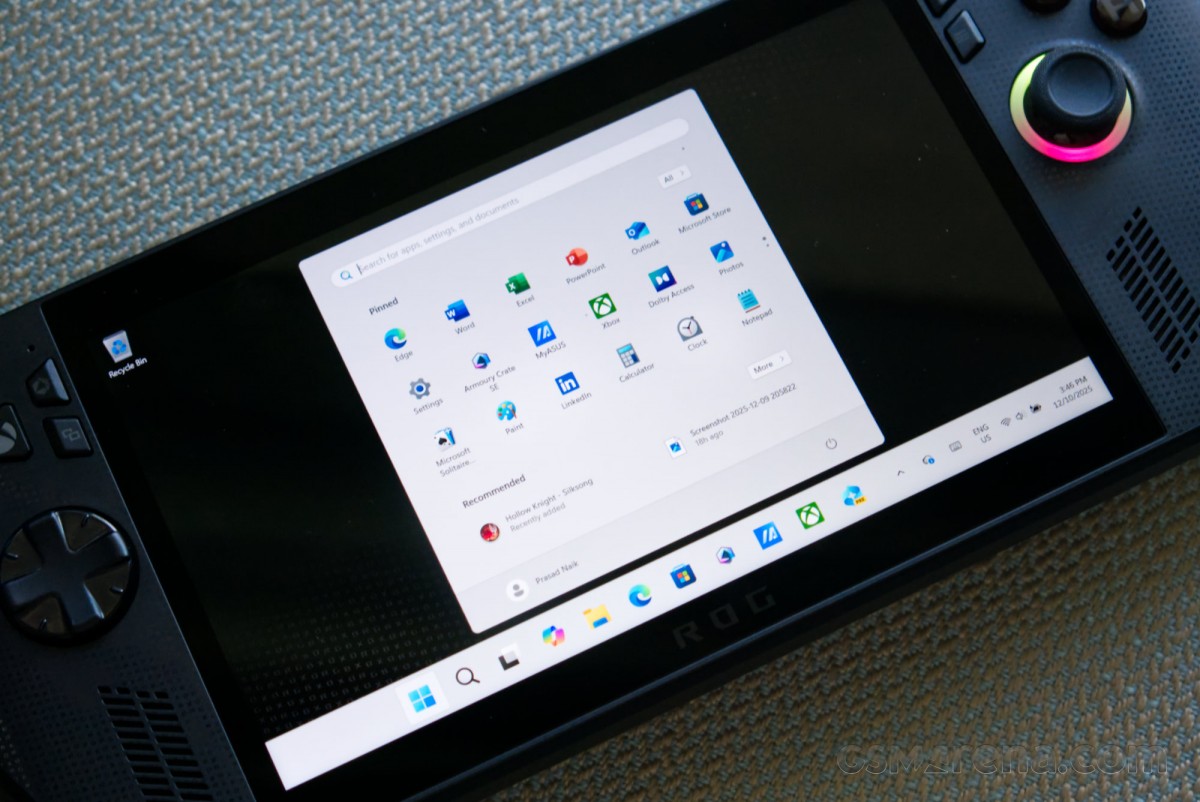
Perhaps the most infuriating part of the software experience is just how little this version of Windows differs from what you’d find on your average Windows laptop. You get the same set of bloatware from Microsoft, complete with the entire Microsoft Office suite, along with whatever new AI gimmick the company came up with recently. This wasn’t even acceptable on the previous Ally devices, and it’s even less so on this Xbox-branded device that seemingly had Microsoft input. The fact that both the Windows and Xbox divisions at Microsoft looked at this and thought it was okay to ship shows how little the company thinks of its customers.
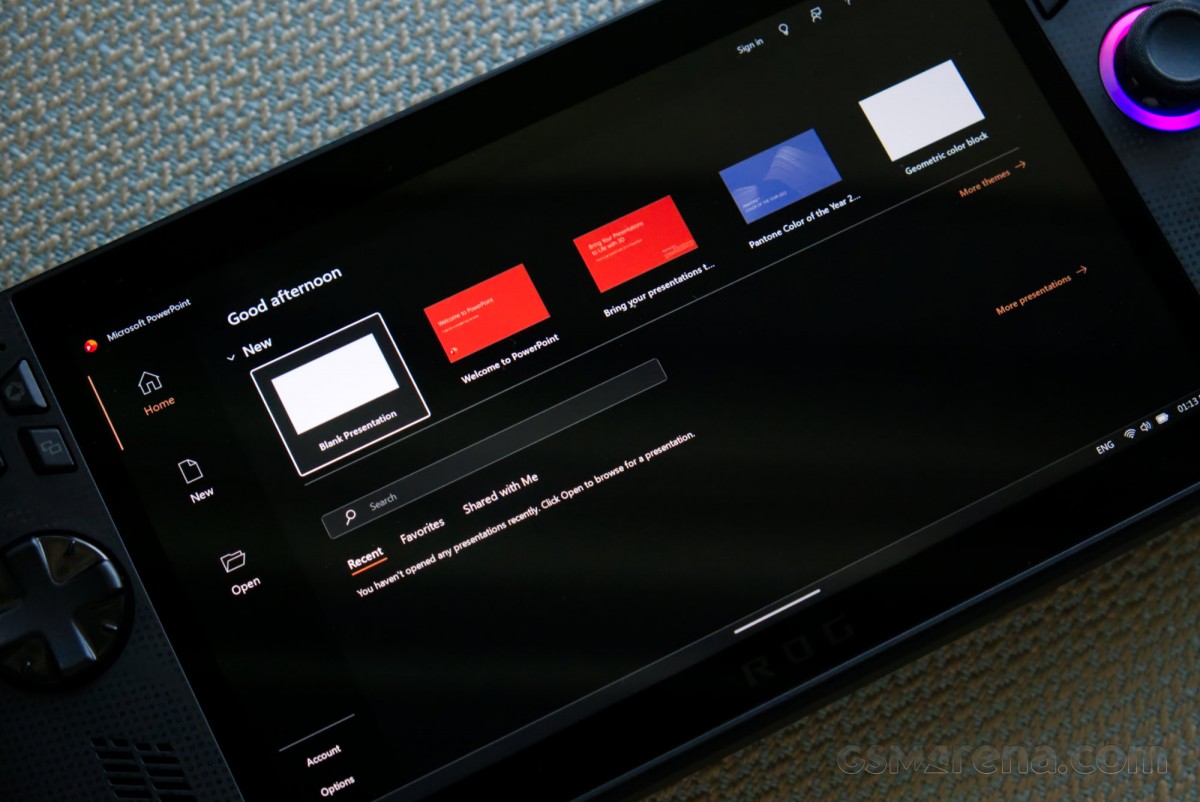
Windows also struggles with basic functionality, such as sleep/wake behavior, like we have come to expect from modern devices. There is no way to reliably suspend games when you press the sleep button. There is no way to have select functionality like game downloads continue in the background with the device being asleep. The unit could also just choose to randomly wake sometimes, start flashing the RGB LED rings, or blast its fans at full speed while it’s asleep.
Microsoft and Asus also cannot be bothered to set up the device properly. We know core isolation features like memory integrity drop gaming performance notably, and Microsoft itself recommends disabling it on its support pages, and yet it was left enabled by default. I could have just left it on and have it impact gaming performance, but ultimately I decided to turn it off, as that is what I would do on my personal system.
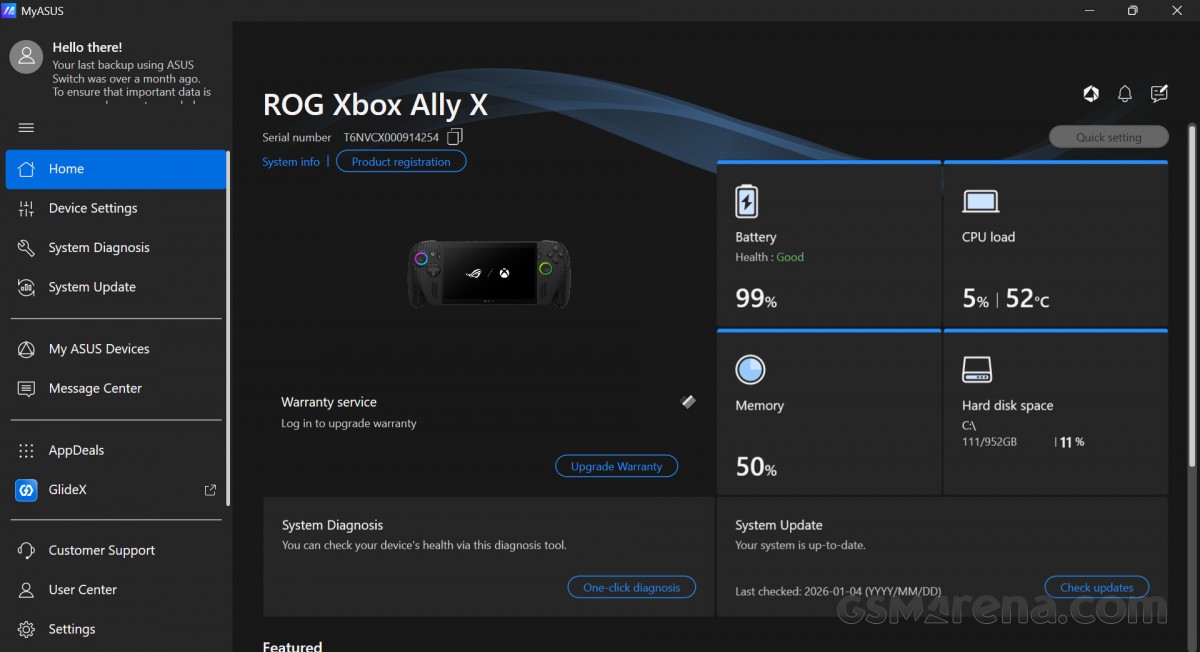
MyASUS app
The additions Microsoft has made for these devices also don’t add a lot to the experience, and feel more like a band-aid on a gunshot wound. The Xbox FSE, for the most part, is just the subpar Xbox app in full-screen, as the OS currently doesn’t let you pick from any other launcher for this mode. The performance optimizations also aren’t as notable as Microsoft would like you to believe; there were no frame rate or battery life improvements in my testing in FSE compared to desktop mode, and the only difference was about 500-1500MB of additional free memory in the former. That’s usually not enough to make a difference, so the only real change is a UI that’s slightly more controller-friendly.
All of this flies in the face of the claims of this being an Xbox. The Xbox consoles are exceptionally easy to set up and use, as consoles generally are. The focus is entirely on gaming, and everything about the UI and the platform as a whole feels designed around doing it in the most efficient way possible, even if the underlying OS is Windows. The Xbox Ally X feels nothing like that. This is very much still a Windows computer, but in a less user-friendly form factor.
What should be embarrassing for Microsoft is that we have seen companies like Valve take a crack at this and absolutely smash it out of the park. SteamOS on the Steam Deck and on devices like the Lenovo Legion Go S is leagues ahead of any half-baked full-screen mode Microsoft can cook up for Windows. And this is coming from a company without a ton of console experience, unlike Microsoft, which has been doing this for over two decades. Even just enabling Big Picture Mode on Steam feels like such a breath of fresh air compared to the Xbox app interface, and it’s really disappointing that you can’t just boot the Xbox Ally X directly into this mode for now.
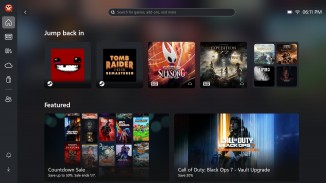

Xbox app • Steam Big Picture mode
But even going past just the UI, we have seen Linux-based systems outperforming Windows-based systems in terms of both performance and battery life. These systems have a lot fewer background processes to deal with, and Linux has also proven to be better at dealing with AMD hardware lately compared to Windows. All the old excuses for avoiding Linux due to performance penalties resulting from emulation overhead simply do not apply anymore.
So in the end, the bog-standard version of Windows 11 that ships on the Xbox Ally X may be great for PC nerds wanting to install all their favorite Windows apps and games on the device, but it is a usability nightmare for novice users or anyone looking for a simple and easy-to-use gaming-focused device.
Verdict
One step forward, two steps back. That is the story of the Asus ROG Xbox Ally X. On one hand, this is a great piece of hardware. The design of those grips, the performance of that chip, and the powerful speakers elevate the experience of every game you play. It is simply the best in its class in that department. And the great battery life means you can continue playing for hours on end.
However, at no point during the review process did I feel that $1000 price tag was justified. The Xbox consoles are affordable because the hardware is subsidized. The Xbox Ally X is being sold at full price, with the usual Asus tax tacked on. Meanwhile, the equipment levels are lacking for a device at this price point, the software is full of ads and bloatware, and the best that Microsoft and Asus have to offer is three months of Game Pass. Without either the hardware or the software being subsidized, the value quotient simply isn’t there.
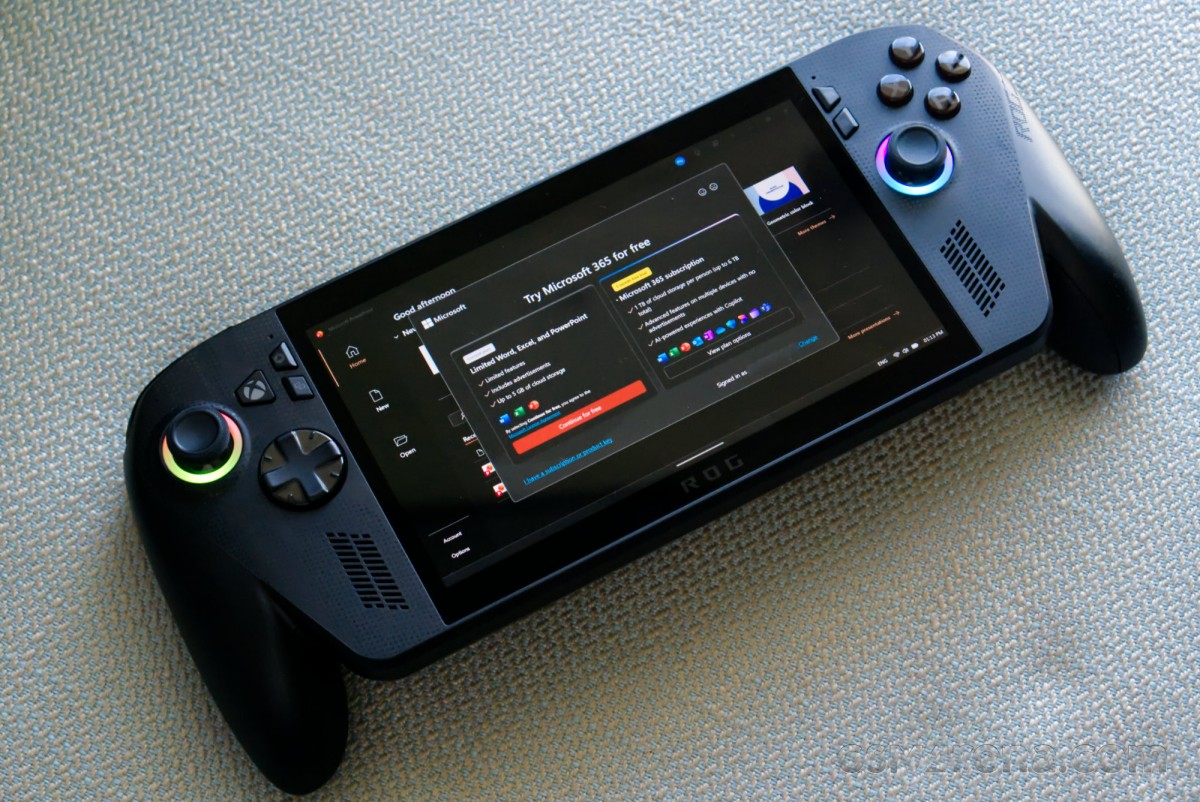
And finally, it’s time to move past Windows as the OS of choice for these devices, at least until Microsoft redesigns it from the ground up for handheld devices or figures out that a gaming device needs to ship with games and not Office. It would be one thing if there weren’t any alternatives on the market, but that is clearly not the case anymore. One sincerely hopes Asus cuts its losses with this partnership, and looks at SteamOS-based alternatives in the future.
In the end, the Xbox Ally X is an Xbox only in name. This is still very much a Windows PC for PC gamers with deep pockets that are familiar with the platform and want to be able to take their games everywhere. There is enjoyment to be had here for those with patience and money, but if you are short on either of those, then this is not the device for you.
Pros
- Extended grip design offers outstanding comfort and confidence
- Best in class performance, especially at lower wattages
- All the basic controls work really well
- Great sounding speakers
- Impressive battery life
- Good set of connectivity options
- Excellent cooling performance
Cons
- LCD panel lacks contrast, brightness, and HDR of OLED panels on competing devices
- Analog sticks lack Hall-effect and don’t offer much grip
- Additional buttons on the front are hard to distinguish and just get in the way
- Weak rumble effect
- Fingerprint sensor rarely works as intended
- No carrying case included
- Charger comes with overly long and bulky cables
- Unintuitive, inconsistent, bloated, and frustrating software experience; Windows is more of a curse than a blessing at this point
- Does little to justify the Xbox name
